Block Time on Wear OS

A pilot’s watch, connected to the flight.

The active timer, the next event, and the information you need now. Record flight events from your wrist while Block Time on your paired Android device keeps the flight workflow together.

See the watch screens ↓

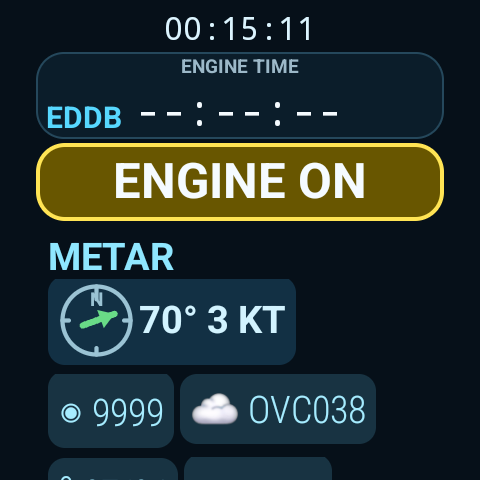
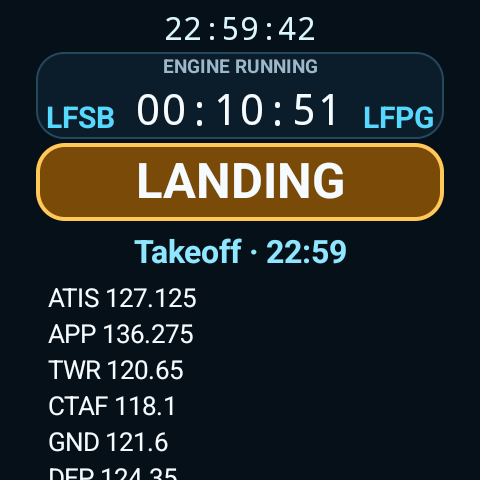
Block Time Wear OS Engine On screen.

Practical guide

How the watch works

Activate a flight on the phone; record events from either device.

Start a flight on your phoneFly Now needs a first flight detail before watch controls activate.

The Wear OS watch is optional: all core flight features work on the Android phone. If paired, check watch status on the phone and open the companion.

Open Fly Now and enter your first flight detail. Opening Fly Now alone does not activate a flight.

Once active, the watch shows the next event. Record Engine On separately when the engine actually starts.

Keep the next action closeWith Block Time open on your watch, controls stay ready at a glance.

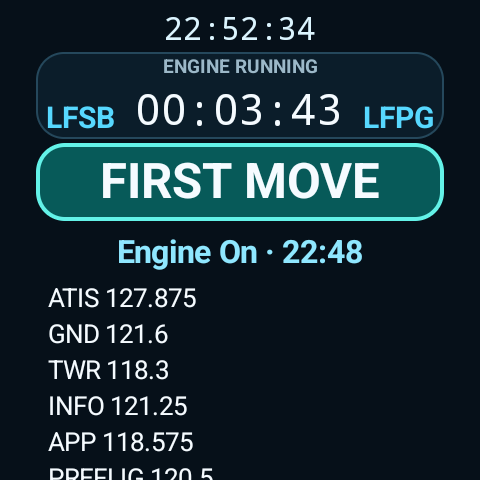
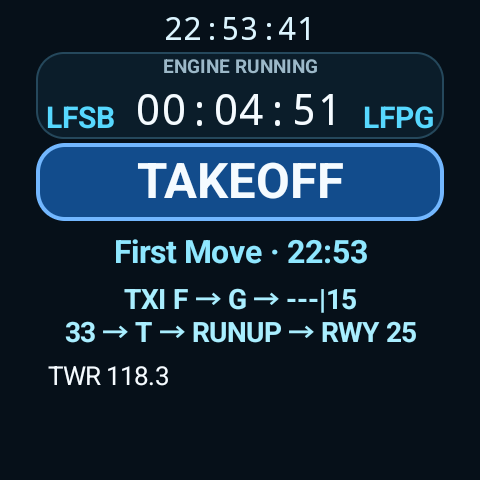
After Engine On, the watch shows the current timer, next event, and available flight context.

While Block Time remains the active watch app, its flight controls stay front and center. It does not replace other watch apps or wake the screen automatically.

Tap an event to record it. Check the confirmation before relying on the recorded time.

Connection lost? Use the phoneThe phone remains the flight record; verify any unconfirmed watch action.

The watch exchanges events and flight state with the paired phone. A disconnected or unpowered watch cannot be relied on to record a new event.

Continue on the phone. If a watch action was pending, inspect the phone before recording it again to avoid duplicates.

Check watch status on the phone after reconnecting.

Screens and connectivityRecorded times survive a dark screen; communication depends on device settings.

Elapsed time is derived from recorded timestamps; the watch display does not have to remain illuminated.

Keep the phone available. Watch connectivity and background updates can be affected by Android power restrictions. Location enables nearby airport search; camera enables meter capture.

Live weather, new map tiles and some licensing functions require internet; flight timing and bundled airport data do not.

At a glance

Follow the flight from the wrist.

A little aviation history

Wristwatches have a history in aviation.

In 1904, Louis Cartier presented Brazilian aviator Alberto Santos-Dumont with a wristwatch he could consult while controlling his airship. The Thyssen-Bornemisza Museum recounts this connection between aviation and wrist-worn timekeeping.

Block Time carries that practical idea into a connected watch: keep flight timing close at hand, with deliberate event controls and current flight context.

Explore the museum’s history of aviation and timekeeping (opens in a new tab)

A companion to your Android device

  • The Wear OS companion is free.
  • It requires Block Time on a paired Android device.
  • The device app shows watch connection status and offers setup assistance.
  • Record events explicitly; review the flight record in Block Time.